

If you’ve ever wondered why some headphones work perfectly on one device but not on another, the reason usually comes down to the headphone jack and plug.
These small yet essential components control how your headphones connect, which features—like microphones or controls—actually work, and even how clean and consistent the sound feels.
In this guide, we clearly explain what headphone jacks and plugs are, how they differ, and why those differences matter in real-world use.
To make things easier for beginners, we’ve also included simple visual infographics that show how different jacks, plugs, and conductor types work together.
Whether you’re listening to music, gaming, making calls, or using professional audio gear, this guide will help you choose the right headphone connection with confidence and zero confusion.
So, let’s get started.
What Is a Headphone Jack?
A headphone jack is a small, round audio port that allows you to connect wired headphones, earphones, or headsets to a device such as a smartphone, laptop, computer, or audio player. Its main purpose is to transmit sound from the device to your headphones using an analog audio signal.
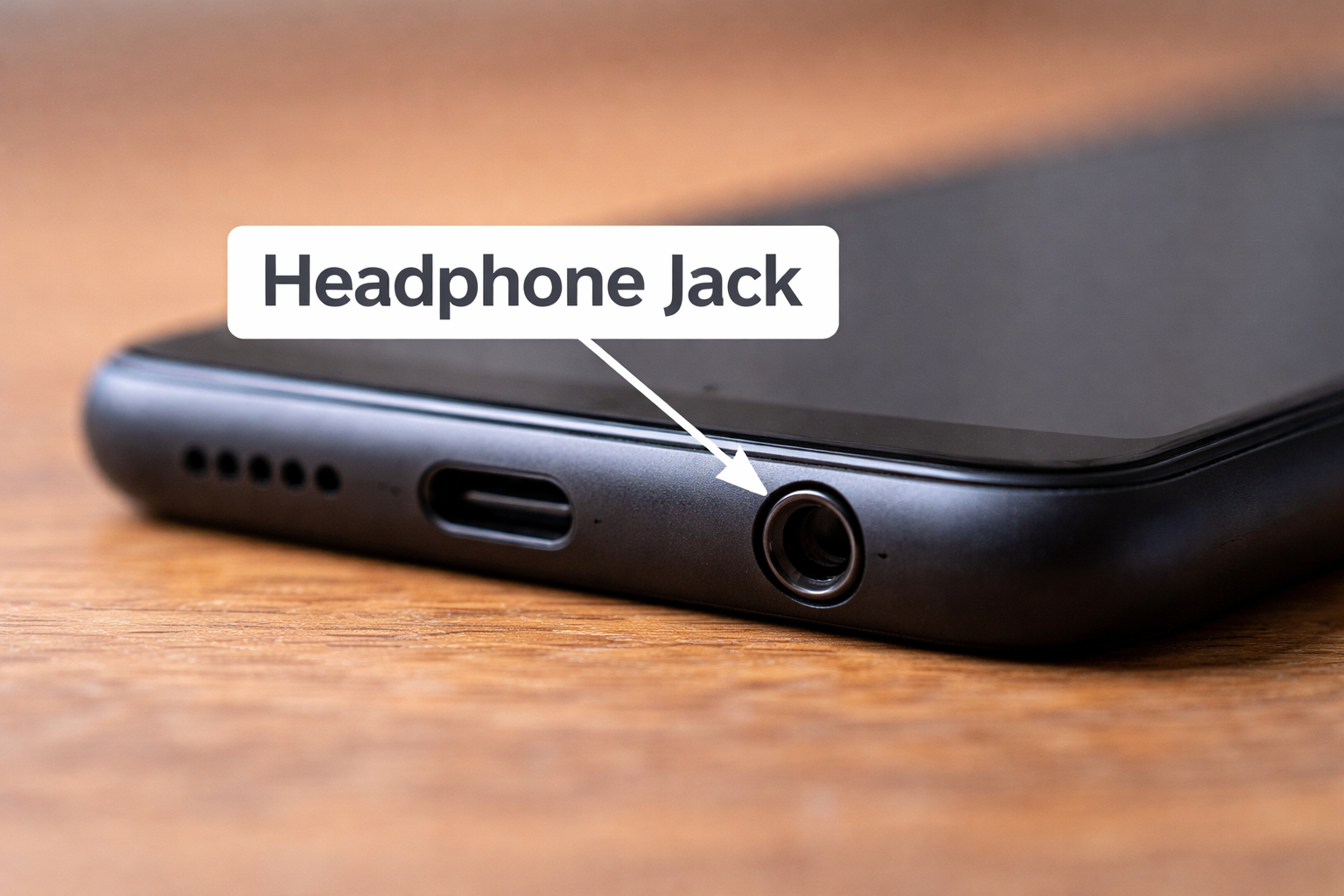
The most common version is the 3.5mm headphone jack, which has been a standard for decades across phones, computers, and audio equipment.
What Is a Headphone Plug?
A headphone plug (aka headphone jack connector) is the metal connector at the end of a wired headphone or headset cable that is inserted into a device’s headphone jack to transmit audio signals.
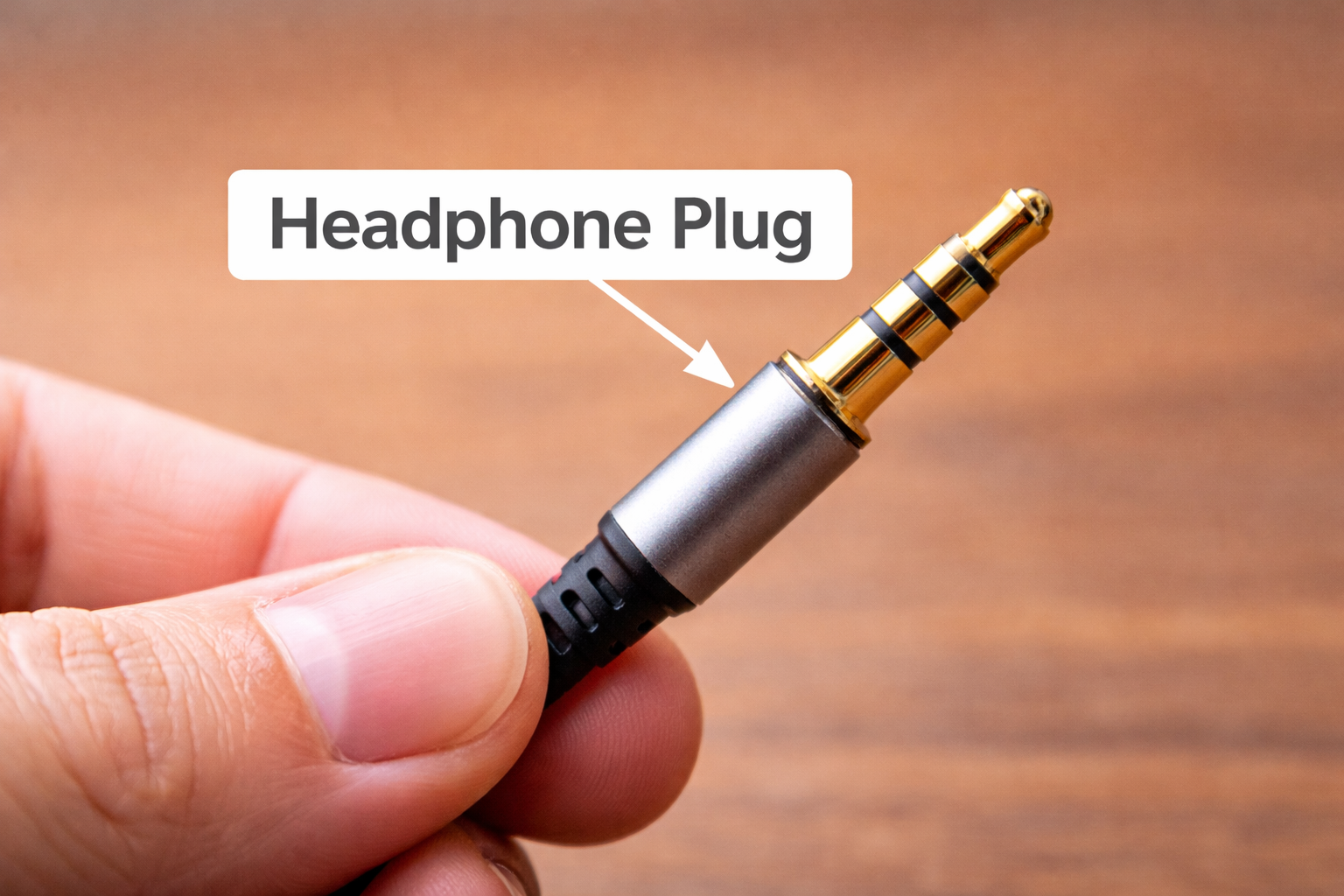
It acts as the physical and electrical link between your headphones and the audio source, allowing sound (and sometimes microphone input and control signals) to pass from the device to your headphones.
Difference Between Headphone Jack and Plug
Headphone jacks and headphone plugs are two different parts of a wired audio connection, although they work together. A headphone jack is an audio port built into a device, such as a smartphone, laptop, computer, or audio player. It is fixed to the device itself and accepts headphone connections.
On the other hand, a headphone plug is the metal connector attached to the end of a headphone cable. This plug is inserted into the headphone jack and carries audio signals from the device to the headphones. Depending on its design, the plug can also transmit microphone input and remote-control signals.
In short, the jack is on the device and the plug is on the headphones.
What Does a Headphone Jack Do?
When you insert your headphone’s plug into the jack, the recipient source device sends analog audio signals through internal circuitry and out through the jack. These signals travel through the headphone cable to the speakers inside the headphones, where they are converted into audible sound that you can hear individually.
On many modern devices, especially those that use the 3.5mm TRRS headphone jack, the same port can also handle microphone input and basic control signals. This means you can use wired headphones not only to listen to music or watch videos, but also to make phone calls, record voice, and control playback using in-line buttons.
Simply put, a headphone jack acts as a physical bridge between your device and wired headphones, allowing for personal audio listening and, in some cases, two-way communication – all without relying on a wireless connection or batteries.
What Does a Headphone Plug Do?
We knew that a headphone plug is the metal connector at the end of a wired headphone or headset cable that connects the headphones to the device’s headphone jack. Its main function is to carry audio signals from the device to the headphones so that you can hear the sound clearly and without delay.
When the plug is inserted into the headphone jack, the metal contact points (tip, ring, and sleeve) align with the contacts inside the jack. This alignment allows electrical audio signals – such as left and right stereo sound – to travel through the cable to the headphone speakers, where they are converted into audible sound. In plugs designed with additional contact rings (such as TRRS plugs), the same connection can also transmit microphone input and inline control signals.
In short answer, a headphone plug is the connector that completes the audio path between your device and your wired headphones, making sound output – and sometimes voice input – possible.
How a Headphone Jack Works
A headphone jack works by transferring analog audio signals from a device to wired headphones via a physical electrical connection. When you plug headphones into the jack (source device), the metal contact points inside the jack connect to the corresponding contact rings on the headphone plug, creating a complete audio circuit.
Inside the device, the digital audio is first converted to an analog signal by a built-in digital-to-analog converter (DAC). This analog signal then goes through a small amplifier and is sent out through the headphone jack. Each contact point on the jack corresponds to a specific signal path, such as the left audio channel, the right audio channel, ground, and — on supported jacks — microphone and control signals.
Once the signal reaches the headphone speaker via the cable, drivers convert the electrical signal into sound waves that you can hear. In simple terms, a headphone jack acts as an output gateway that delivers processed audio from your device directly to wired headphones for personal listening.
Different Types of Headphone Jacks Explained
3.5mm Headphone Jack (Standard / Aux Jack)
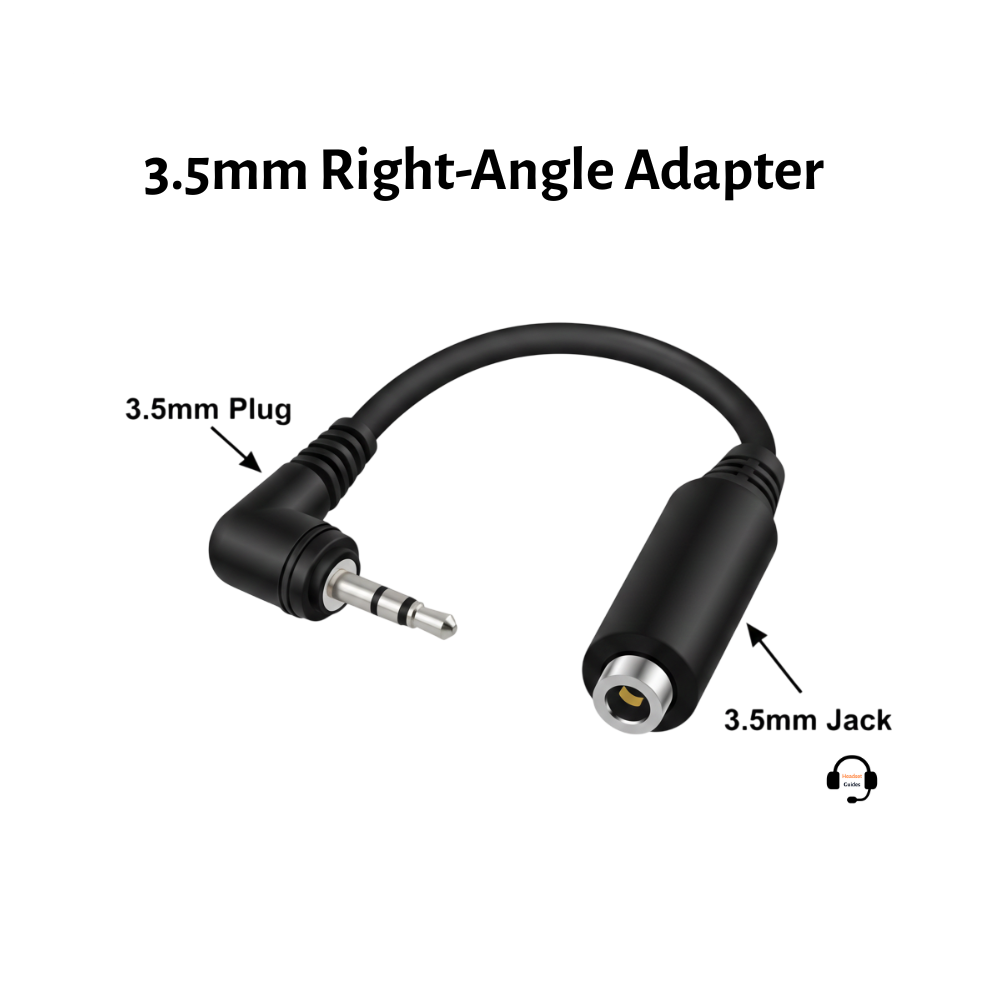
The 3.5mm headphone jack is the most common and widely used audio jack found on smartphones, laptops, tablets, headphones, and car audio systems.
This jack supports stereo audio and, in many cases, microphone input and inline controls. Because of its universal compatibility, it’s often called the auxiliary (aux) jack.
6.35mm Headphone Jack (¼-Inch Jack)
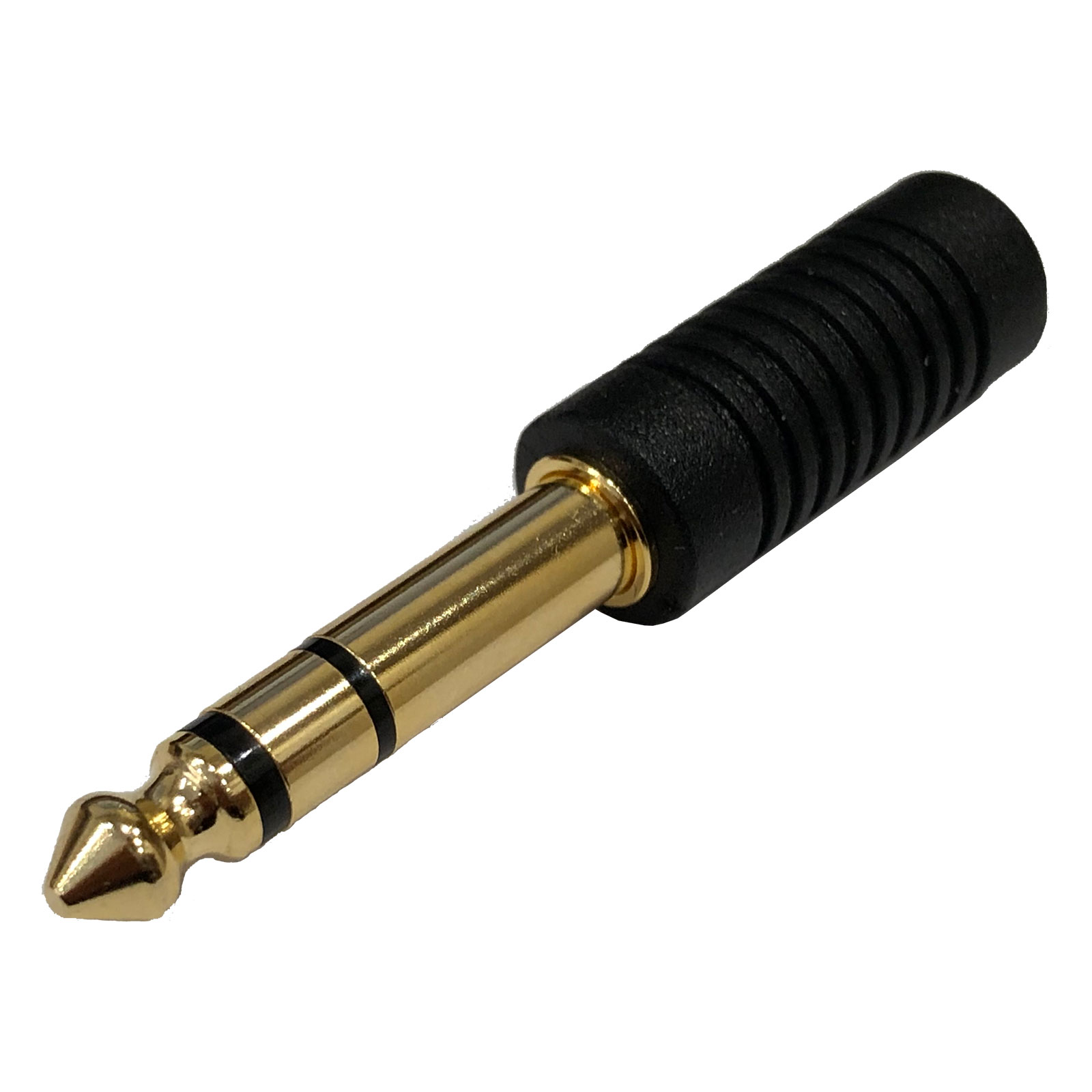
The 6.35mm headphone jack is larger and mainly used in professional audio equipment. It’s commonly found on studio headphones, amplifiers, mixers, Dj players, guitars, and audio interfaces.
This jack offers a more secure connection and better durability for high-power audio applications. Many professional headphones, especially studio and DJ headphones include an additional 3.5mm-to-6.35mm converter adapter for compatibility.
2.5mm Headphone Jack
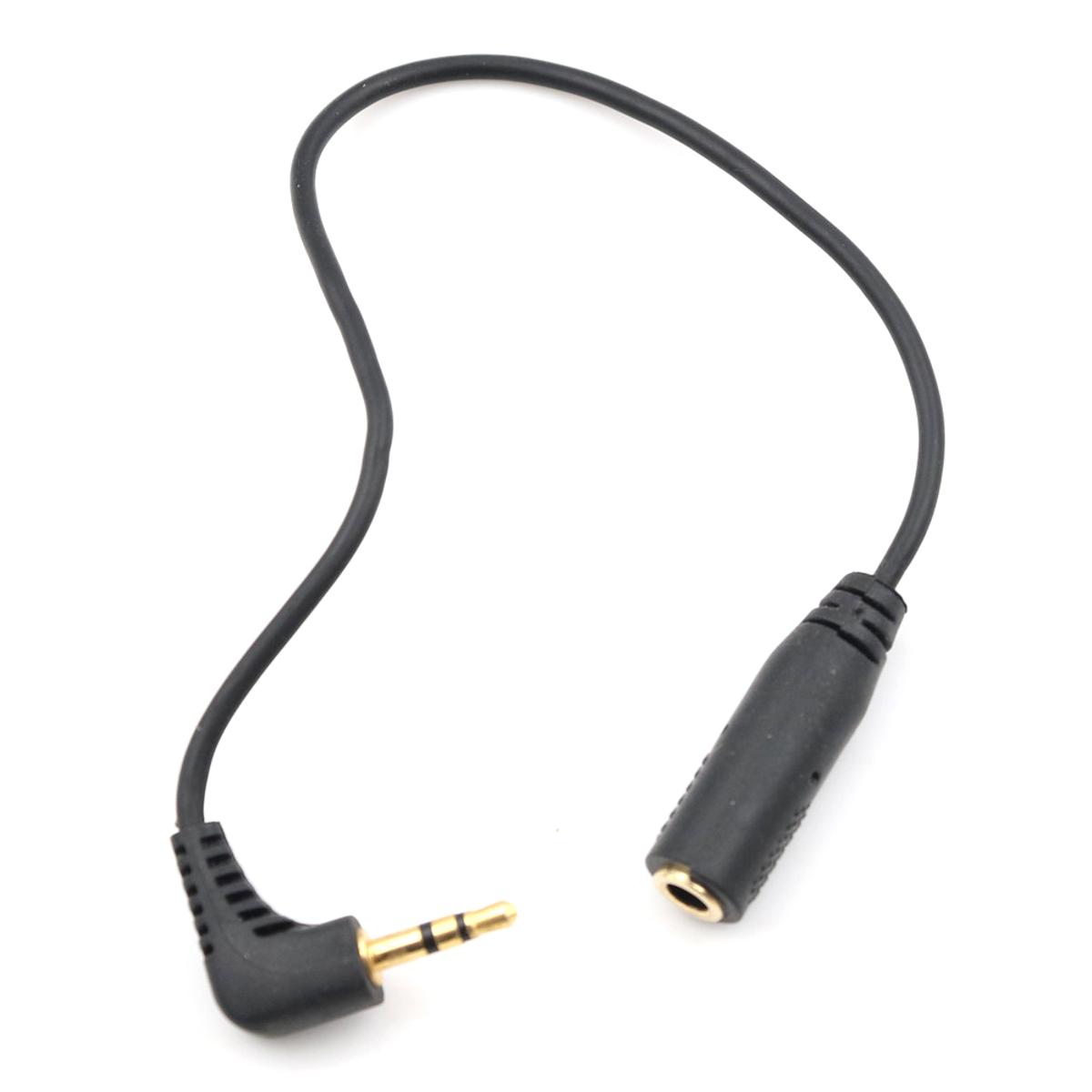
The 2.5mm headphone jack is smaller than the standard 3.5mm jack and is rarely seen today. It was originally used in older mobile phones, cordless phones, and some specialized audio devices.
Due to its limited support and durability, it has largely been replaced by the 3.5mm jack and wireless alternatives. You will often need an adapter to use standard headphones with this jack.
Balanced Headphone Jacks (2.5mm / 4.4mm)
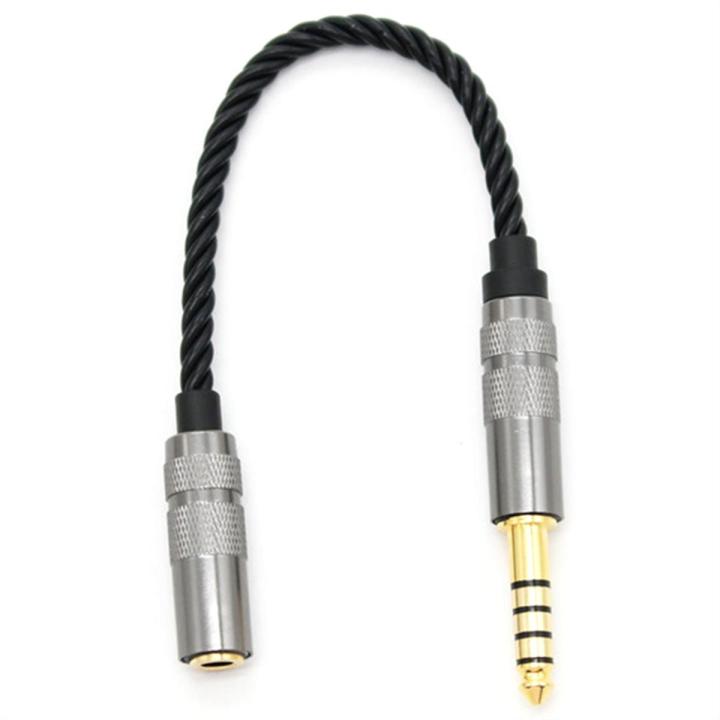
Balanced headphone jacks include 2.5 mm balanced and 4.4 mm pentacone connectors are designed for high-quality audio and audiophile setups.
They reduce noise and interference by separating the left and right audio channels more effectively. These jacks are commonly found on premium headphones and digital audio players (DAPs).
Now, let’s explore how each headphone plug difference between each.
Different Types of Headphone Plug Explained
TS Plug (2-Conductor: Tip, Sleeve)
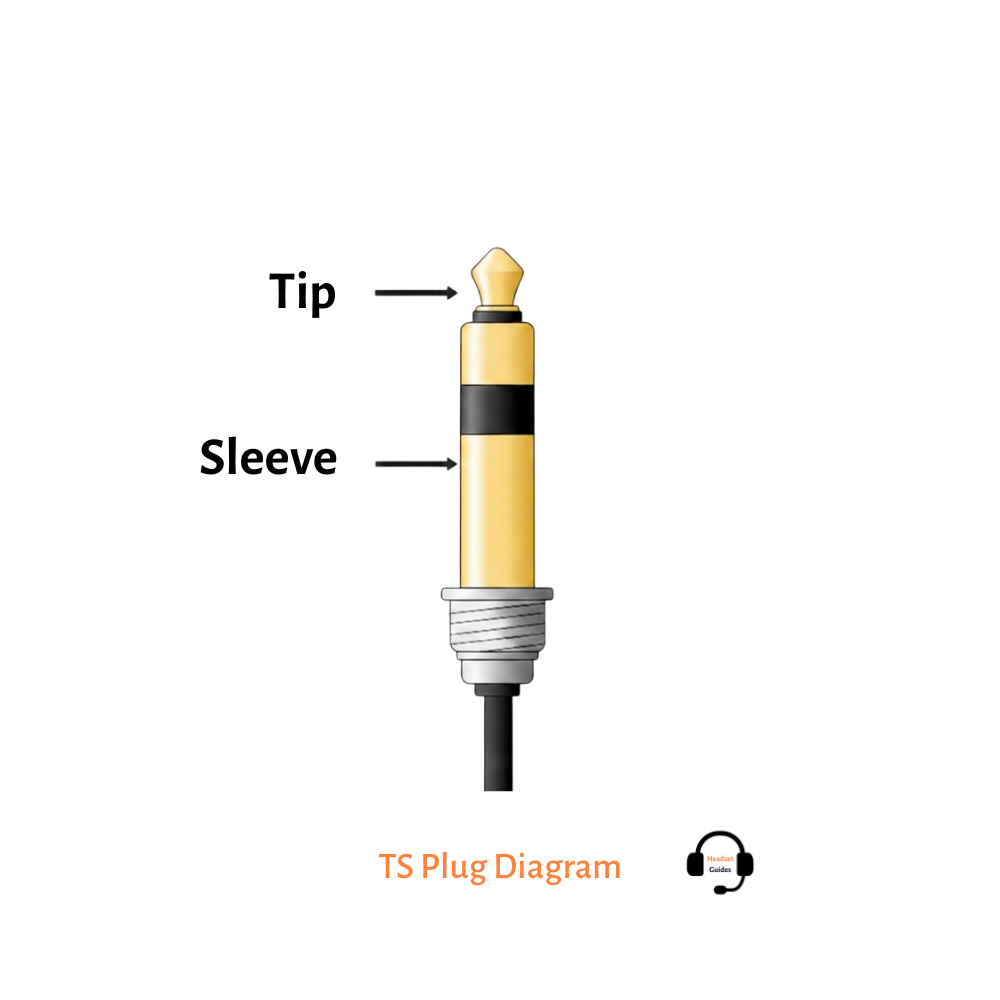
TS plugs use two contact points: one for the audio signal and one for ground. They are typically used for mono audio and are common in basic audio equipment, instruments, and some professional setups where stereo sound or microphones are not required.
TRS Plug (3-Conductor: Tip, Ring, Sleeve)
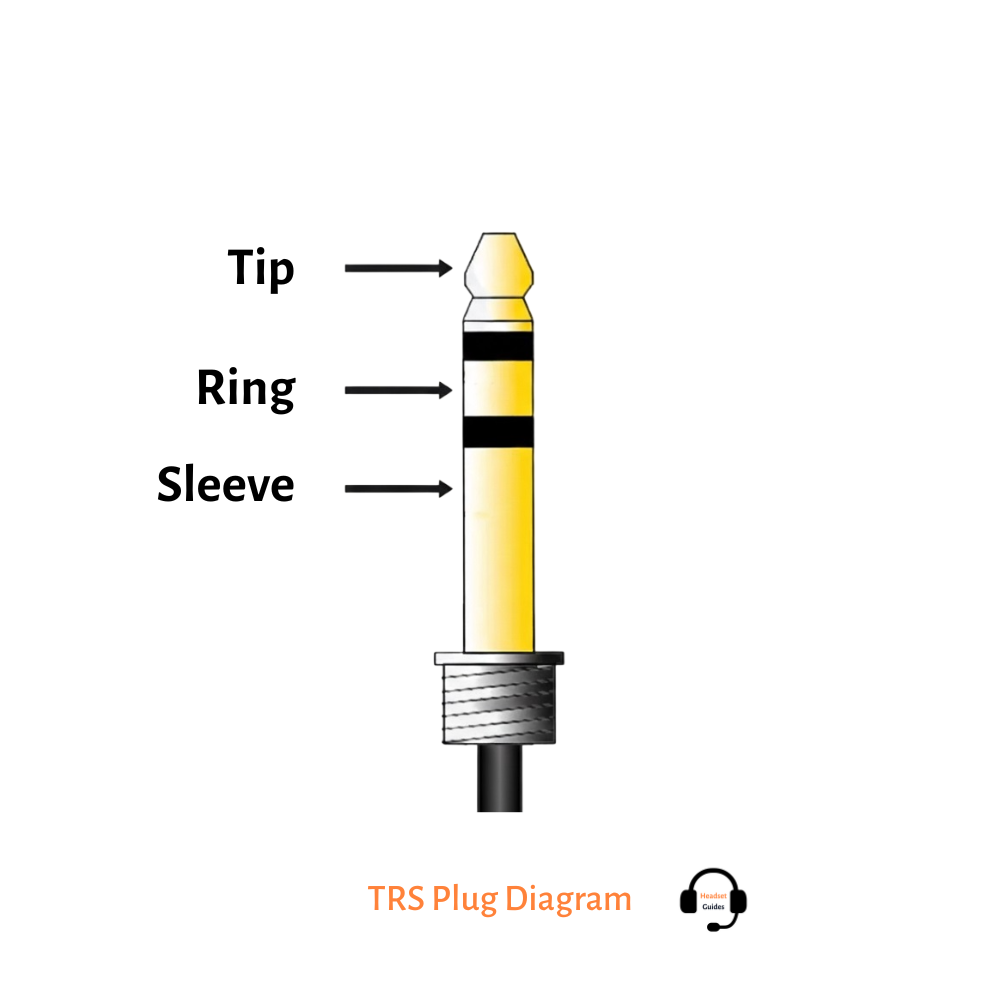
TRS plugs are the most commonly used headphone plug type. They separate the left and right audio channels and support stereo audio through a ground connection. Most standard wired headphones without microphones use TRS plugs.
TRRS Plug (4-Conductor: Tip, Ring, Ring, Sleeve)
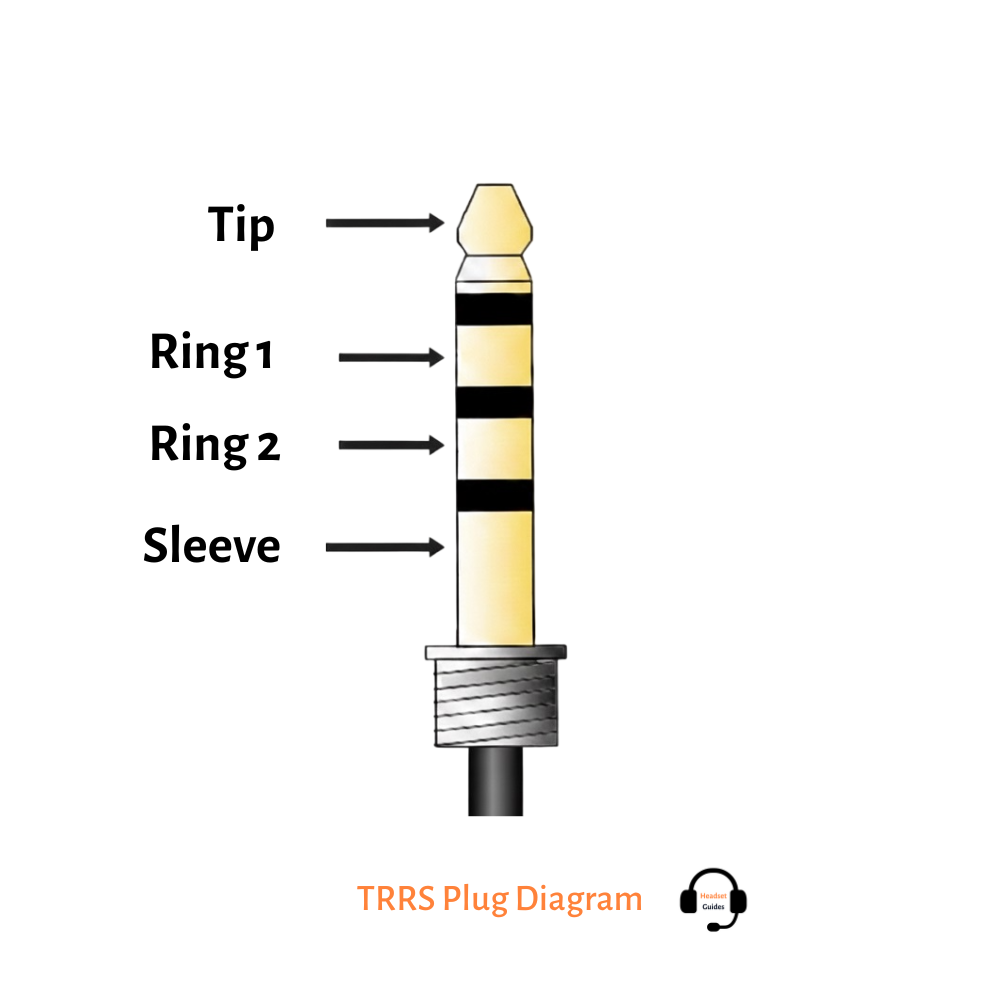
TRRS plugs add an extra conductor, allowing them to carry stereo audio, microphone input, and inline controls. This plug type is commonly found on smartphone headsets, gaming headsets, and headphones with built-in mics.
TRRRS Plug (5-Conductor: Tip, Ring, Ring, Ring, Sleeve)
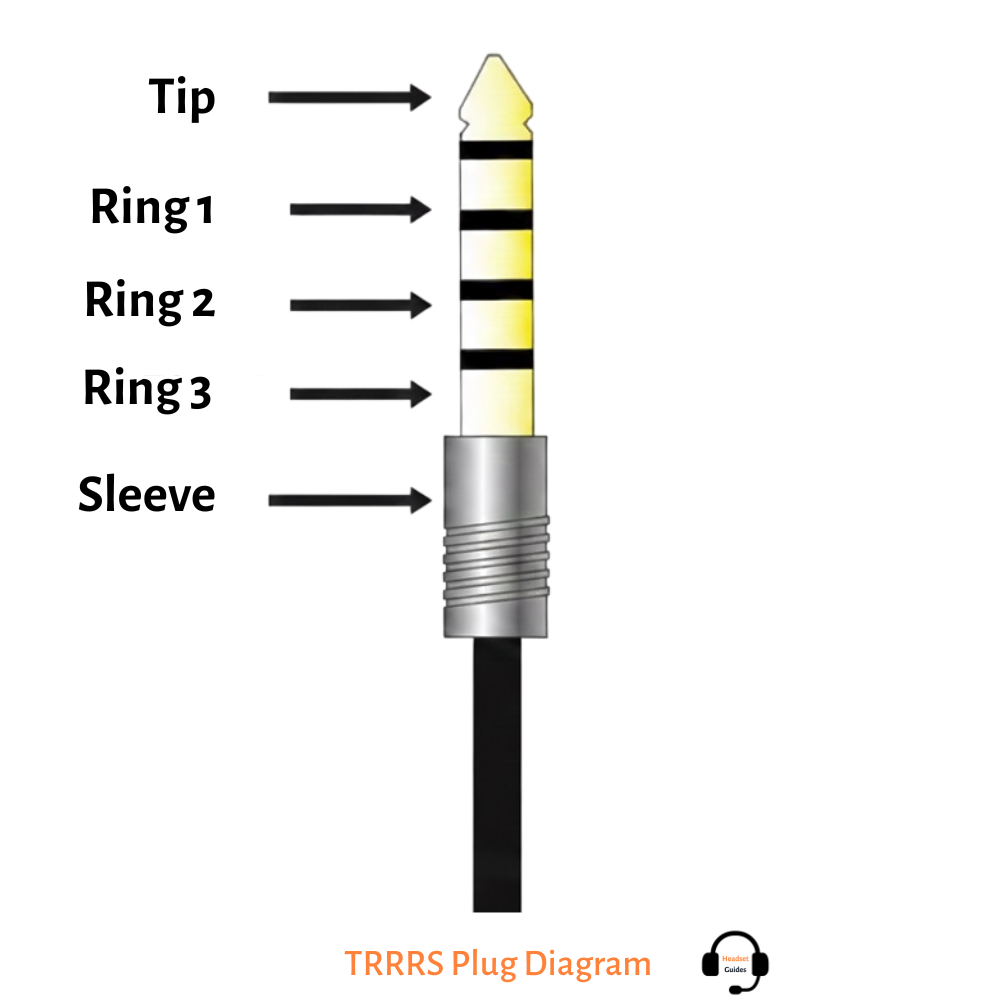
TRRS plugs have five conductors and are primarily used for balanced audio connections in high-quality headphones. Balanced plugs help reduce noise and interference, making them popular with audiophiles and professional audio users who demand clear sound quality.
Digital Headphone Plugs (USB-C & Lightning)
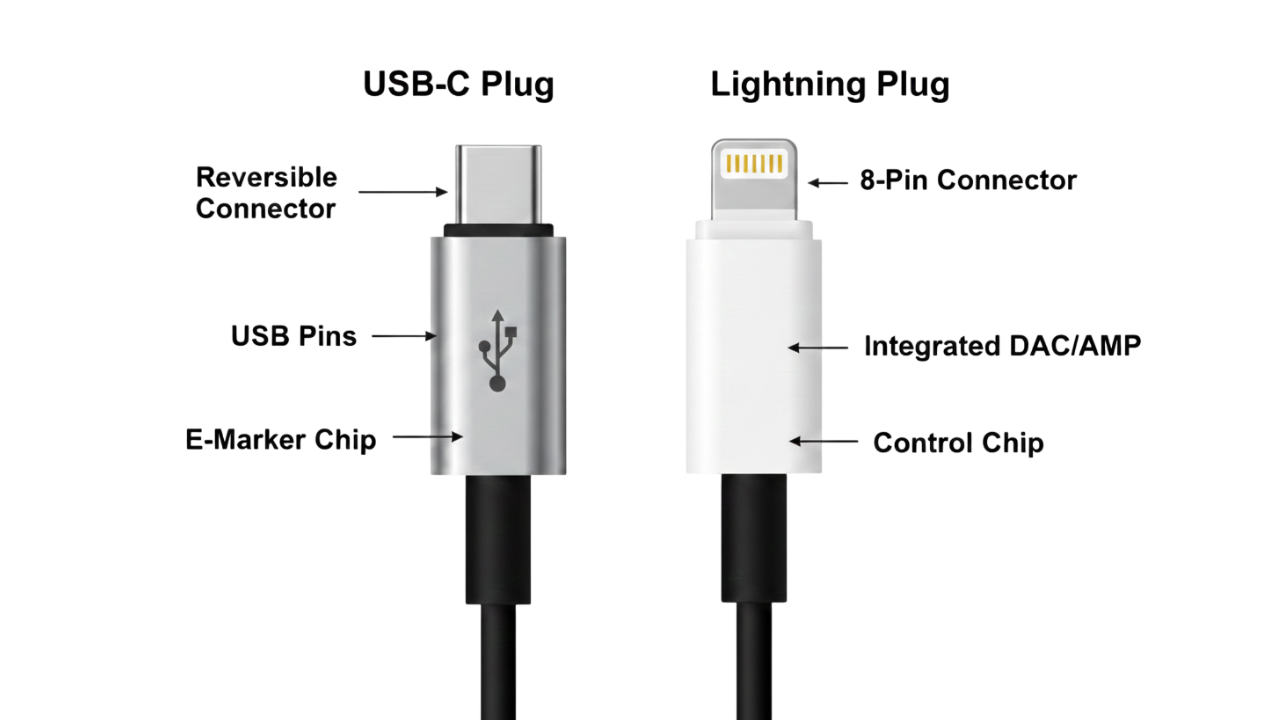
Digital headphone plugs connect via USB-C or Lightning ports instead of analog jacks. These plugs include a built-in digital-to-analog converter (DAC), which allows them to digitally process audio before delivering sound. They are commonly used in modern smartphones and devices that no longer have traditional headphone jacks.
Where Are Headphone Jacks Commonly Used?
Headphone jacks are widely used across many devices that support wired audio connections. Despite the growth of wireless audio, they remain popular because they are easy to use, stable, and universally compatible.
Common Devices Where Headphone Jacks Used:
- Laptops and desktop computers – for work, video calls, music, and gaming
- Tablets and older smartphones – especially budget and mid-range models
- Audio equipment – amplifiers, mixers, audio interfaces, and DACs
- Gaming consoles and controllers – for low-latency voice chat and gameplay audio
- Televisions and media players – for private listening
- Car infotainment systems – for wired audio input
- Airplanes and travel entertainment systems – commonly use wired headphone jacks
- Radios and portable music players – still popular in many regions
Why Many Smartphones Removed the Headphone Jack?
Many smartphone manufacturers are removing the headphone jack to make room for new technology and simplify the internal design. By eliminating the jack, brands can use the extra space inside increasingly thin devices for larger batteries, better cameras, better speakers, or better cooling systems.
Another major reason is the push toward wireless audio adoption. As Bluetooth headphones become more reliable and popular, companies are starting to encourage users to switch to wireless earbuds and headsets, which are more compatible with the modern, cable-free lifestyle.
Removing it also helps improve water and dust resistance. Less physical open space on the phone’s body makes it easier to achieve higher IP ratings, increasing durability against spills and moisture.
From a business perspective, this change allows manufacturers to standardize on ports, relying on USB-C or Lightning for charging, data transfer, and audio. While this simplifies the design of the device, it often forces users to rely on adapters or wireless options.
Headphone Jack vs USB-C: What’s the Difference?
The headphone jack and USB-C represent two different approaches to wired audio. A headphone jack is an analog audio port designed specifically for sound output, while USB-C is a digital, versatile connector that can handle audio, charging, and data through a single port.
Headphone jack delivers analog audio directly to wired headphones with universal compatibility, zero latency, and no need for adapters or extra power. USB-C audio transmits digital signals and relies on a built-in or external DAC, enabling advanced features but often requiring USB-C headphones or adapters.
The headphone jack prioritizes simplicity and reliability, while USB-C focuses on versatility and modern, all-in-one connectivity. However, audiophiles and professionals generally prefer the headphone jack paired with a good external DAC/amp, because it gives more control over sound quality and system tuning. Also, USB-C audio can be great, but only when the digital hardware is high quality and supports it.
What to Do If Your Device Doesn’t Have a Headphone Jack
If your smartphone, tablet, or laptop doesn’t include a headphone jack, there are several practical ways to continue using wired headphones:
- Use a USB-C or Lightning to 3.5mm Adapter – Many devices come with or support USB-C or Lightning adapters that convert the digital port into a standard headphone jack. This lets you use your existing wired headphones without losing audio quality. Make sure the adapter includes a built-in DAC for proper analog conversion.
- Switch to USB-C or Lightning Headphones – Some headphones now connect directly via USB-C or Lightning, bypassing the need for an analog jack. These often include built-in DACs and may support features like noise cancellation or inline controls.
- Go Wireless with Bluetooth Headphones – Bluetooth headphones or earbuds offer cable-free convenience and are compatible with virtually any modern device. Make sure to choose ones with high-quality audio codecs (like AAC, aptX, or LDAC) for the best sound quality. This is ideal for everyday use, commuting, or workouts.
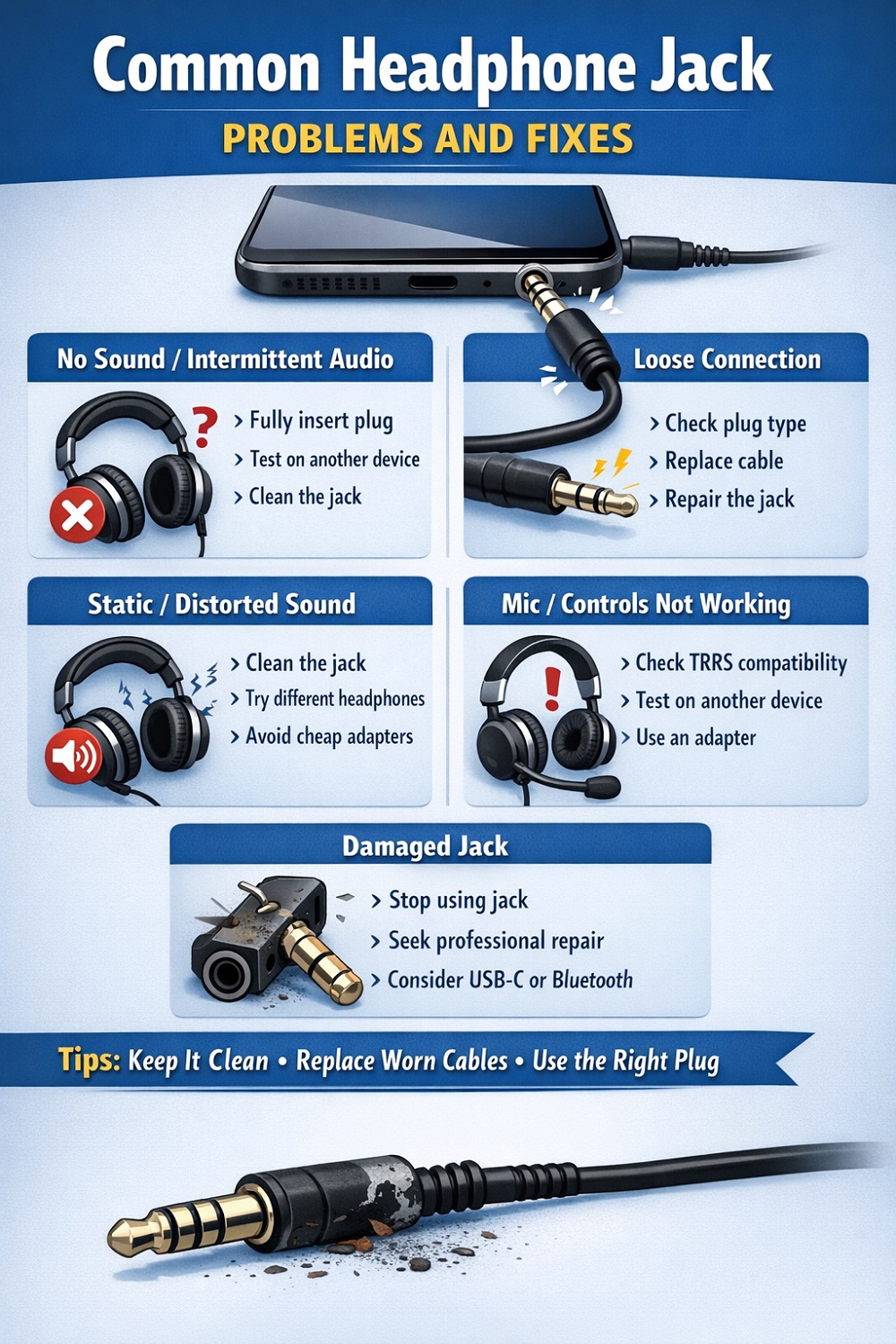
Common Headphone Jack Problems and Fixes
Even though headphone jacks are simple in design, they can sometimes develop issues that affect audio quality or connectivity. Understanding common problems and their fixes can help you troubleshoot quickly.
How to Clean a Headphone Jack Safely
A dirty or dusty headphone jack can cause crackling, static, or no sound at all. Cleaning it safely ensures your headphones work perfectly without damaging your device.
Follow These Steps To Clean Your Headphone Jack:
- Turn Off Your Device – Always power off your phone, laptop, or audio device before cleaning to avoid short circuits.
- Use Compressed Air – Blow gentle bursts of compressed air into the jack to remove loose dust or lint. And hold the can upright to prevent moisture from entering.
- Use a Soft Brush or Toothpick – Wrap a toothpick with a small piece of lint-free cloth or use a soft, small brush. Gently rotate inside the jack to lift stubborn dirt. Avoid using metal objects that could damage contacts.
- Clean the Headphone Plug – Wipe the metal part of your headphone plug with a soft cloth to remove oils or dirt. This ensures a cleaner connection and prevents interference.
- Test the Connection – Reinsert your headphones and check for sound quality. Repeat cleaning gently if problems persist.
Conclusion:
Headphone jacks and plugs may seem simple, but understanding their types, functions, and compatibility is essential for getting the best audio experience. Whether it’s a standard 3.5mm jack, a balanced plug, or a digital USB-C connection, each has its own purpose and benefits.
By knowing the difference between headphone jacks and plugs, how to fix common problems, and safe ways to clean and maintain your audio ports, you can enjoy clear, reliable sound from your wired headphones for years to come.
For devices without a headphone jack, adapter, USB-C/Lightning headphones, or Bluetooth options, make sure you never have to compromise on convenience or sound quality.